If you’re managing infrastructure with OpenVox (the community-maintained fork of Puppet) or making the transition to OpenVox, staying current with agent releases is crucial for security, performance, and access to new features. Here’s how to track releases directly through GitHub repositories.
GitHub Repositories to Watch
The main release repository is https://github.com/OpenVoxProject/openvox. This is where new agent versions are tagged and released.
To get notifications:
- Navigate to https://github.com/OpenVoxProject/openvox
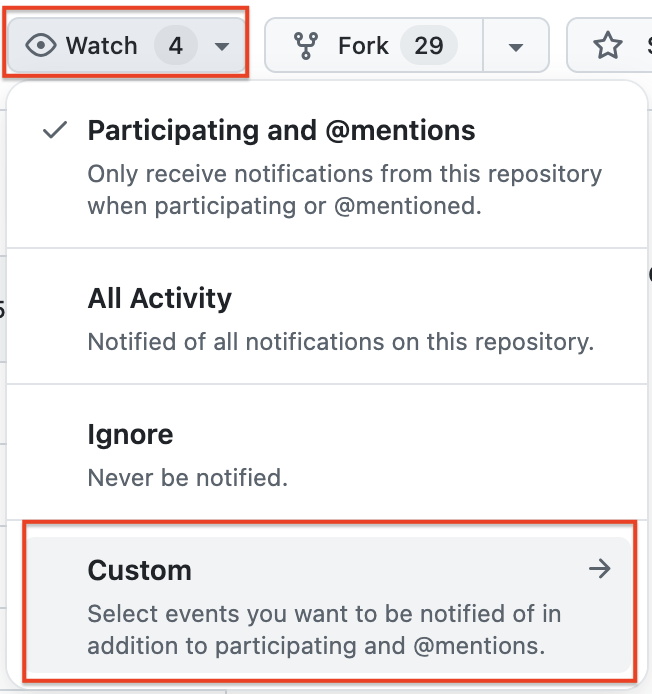
- Click the
Watchbutton in the top-right corner and selectCustomfrom the dropdown
- Check the
Releasesoption
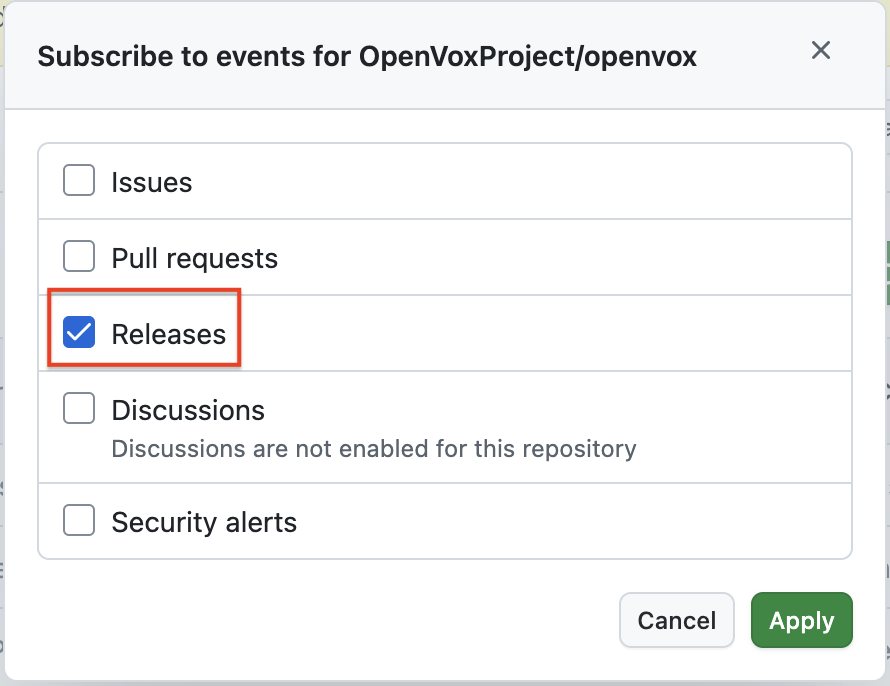
- Click
Apply
You’ll now receive GitHub notifications (email or in-app) whenever a new version is released.
Direct Releases Page
https://github.com/OpenVoxProject/openvox/releases
This page shows:
- All released versions in chronological order
- Detailed changelogs for each release
- Downloadable assets (tarballs, checksums)
- Version tags for easy reference
- Release dates and authors
Email Notifications
By default, watched releases will send email notifications to your GitHub-registered email address. You can customize this in your GitHub settings under Notifications.
GitHub Mobile App
Install the GitHub mobile app (iOS or Android) to receive push notifications for releases on your phone. This ensures you see important releases even when away from your computer.
RSS Feeds
Every GitHub repository has a releases RSS feed. For OpenVox agent releases, the feed URL is:
https://github.com/OpenVoxProject/openvox/releases.atom
GitHub CLI
If you use the GitHub CLI tool (gh), you can quickly check for new releases:
gh release list --repo OpenVoxProject/openvox
What to Look For in GitHub Release Announcements
When a new version is announced, pay attention to:
- Version compatibility - Ensure compatibility with your OpenVox server and modules
- Operating system support - Check if your platforms are supported (recent releases added EL10 and Debian 13 support)
- Breaking changes - Note any incompatibilities with older versions
- Security updates - CVE fixes and security improvements
- New features - Enhancements that might benefit your infrastructure
- Deprecations - Features or platforms being phased out